
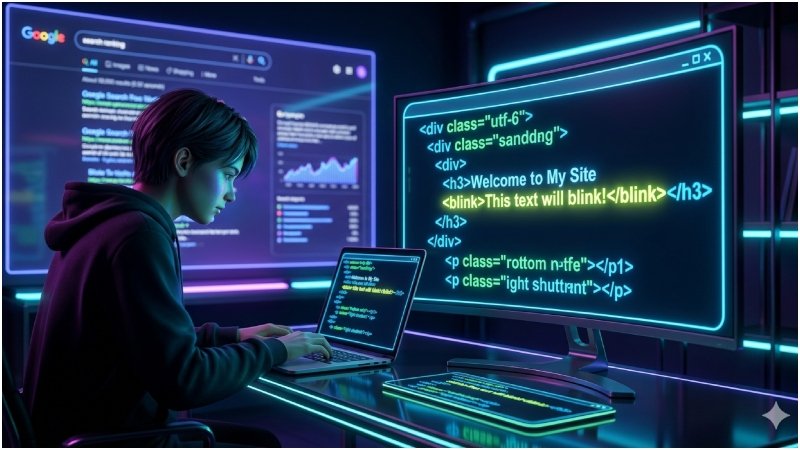
Have you ever typed the words “blink html” into the Google search engine and noticed something strange on your screen? That blinking effect is known as the blink html google trick, a Google Easter egg that surprises many users.And here’s the reality: most people don’t fully understand it. Some believe it’s an SEO hack, while others think it’s part of modern HTML. In reality, it’s neither.In this guide, I will explain what it is, why it exists, how to try it yourself, and what you should use instead, especially when you are building a real website.
What Do You Mean by the Blink HTML Google Trick?
The blink html google trick is a Google Easter egg in which the words “blink” and “html” briefly flash on the search results page when you type “blink html” into Google.
Quick Answer:
It is an effect created by Google for fun, inspired by an old HTML tag called <blink>. It does not affect SEO or rankings.
This is purely for entertainment and nostalgia and is not meant to be used on real websites.
Why Google Trick Blink HTML Google Search
There are a few common reasons why this keyword is still trending:
Curiosity about Google Easter Eggs
People enjoy discovering hidden features inside Google search.
Misunderstood SEO Hacks
Many beginners assume it’s a ranking trick. I have seen this misunderstanding quite often is not true.
Learning HTML Basics
Some users find old tutorials that include the <blink> tag and want to test it.
How to See the Blink HTML Google Trick (Step-by-Step)
If you’d like to test it on your own, follow these steps:
Steps to Follow
- Open Google in your browser
- Type “blink html”
- Press search
- Watch the results page carefully
Does Blink HTML Trick It Work on Mobile?
It may or may not work depending on:
- Browser type
- Device settings
- Google updates
Common Issues
If you don’t see the effect:
- Refresh the page
- Try a desktop browser
- Check your browser animation settings
The History of the <blink> Tag
To understand this trick, you need a quick look at web history.
Why the Blink Tag Was Created</h3>
In the early days of the web, developers used the <blink> tag to grab attention. It was introduced by Netscape in the 1990s.
Why It Was Removed
Over time, it created more problems than benefits:
- Distracting user experience
- Reduced readability
- Accessibility concerns
Modern HTML standards removed it completely.
The Issue with the Blink HTML Use Nowadays
e=”font-weight: 400;”>Blinking text may seem interesting at first, but it causes real problems:
- Poor user experience
- Accessibility risks for sensitive users
- Outdated and unprofessional design
- No SEO benefit
This approach should not be used on any serious website.
How Google Was Able to Recreate the Blink HTML Google Trick
Google did not reintroduce the <blink> tag. Instead, they recreated the effect using modern techniques.
CSS-Based Animation
The blinking effect is created using CSS animations, which are:
- Smooth
- Controlled
- Supported by modern browsers
Why CSS Is Better Than <blink>
- Works across all devices
- Fully customizable
- Follows modern web standards
This is how visual effects should be handled today.
New Substitutes to Blink HTML (Best Solutions)
If you want to grab attention, there are better options available.
CSS Animations
Small animations like fading or pulsing can effectively highlight content.
JavaScript Effects
Useful for dynamic elements such as notifications.
Better UX Approaches
In most cases, you don’t need blinking at all:
- Use bold text
- Apply color contrast
- Add small interactive effects
Tools You Can Use
- WordPress plugins
- Webflow
- CSS frameworks
Starting simple and testing performance is usually the best approach.
Best Practices on Attention-Grabbing Text
To improve engagement without harming user experience:
- Keep animations minimal
- Maintain readability
- Use contrast instead of blinking
- Optimize for mobile users
- Test user interaction
A clean design is always more effective.
Common Mistakes to Avoid
Avoid these common errors:
- Using outdated HTML elements
- Copying tricks without understanding them
- Overusing animations
- Ignoring accessibility
These mistakes can reduce user trust and overall website quality.
Is Blink HTML Google Trick Good in SEO?
Short answer: No.
The blink html google trick<span style=”font-weight: 400;”> has no SEO value.
Search engines prioritize:
- User experience
- Page performance
- Content quality
Blinking text does not support any of these factors.
Actual Use Cases of Similar Effects
There are situations where attention-grabbing elements are useful:
- Limited-time offers
- Promotional banners
- Important alerts
- Call-to-action buttons
In such cases, subtle animations are much more effective than blinking text.
FAQs
What is the blink html trick of Google?</h3>
“font-weight: 400;”>The blink html Google trick is a Google Easter egg where some words flash on the search results page when you search for “blink html.” It is purely for entertainment.
Is the blink tag still readable in HTML?
No, the <blink> tag is obsolete and no longer supported in modern browsers.
Is blinking text bad for SEO?
Yes, excessive blinking can harm user experience, which may negatively affect rankings.
Is it possible to reproduce the blink effect on my site?
Yes, you can safely use CSS animations or JavaScript to create similar effects.
Why is this Easter egg still present in Google?
Google keeps such features for fun and nostalgia, not for SEO or functionality.
Summative: Blink HTML Google Trick Explained
The blink html google trick<span style=”font-weight: 400;”> is an interesting part of web history, but it is not useful for modern websites.
To summarize:
- It is a Google Easter egg
- The <blink> tag is outdated
- CSS and modern techniques are better
When building a website today, focus on user experience, clean design, and modern practices instead of outdated tricks.
In-house Linking Recommendation
- Study CSS animation techniques (related blog post)
- Improve website user experience (guide)
- Explore professional web design services (service page)
Call to Action
If you want to improve your website design or user experience, you can explore our services or request a free audit to gain practical insights. Visit New Viral Magazine for more details: